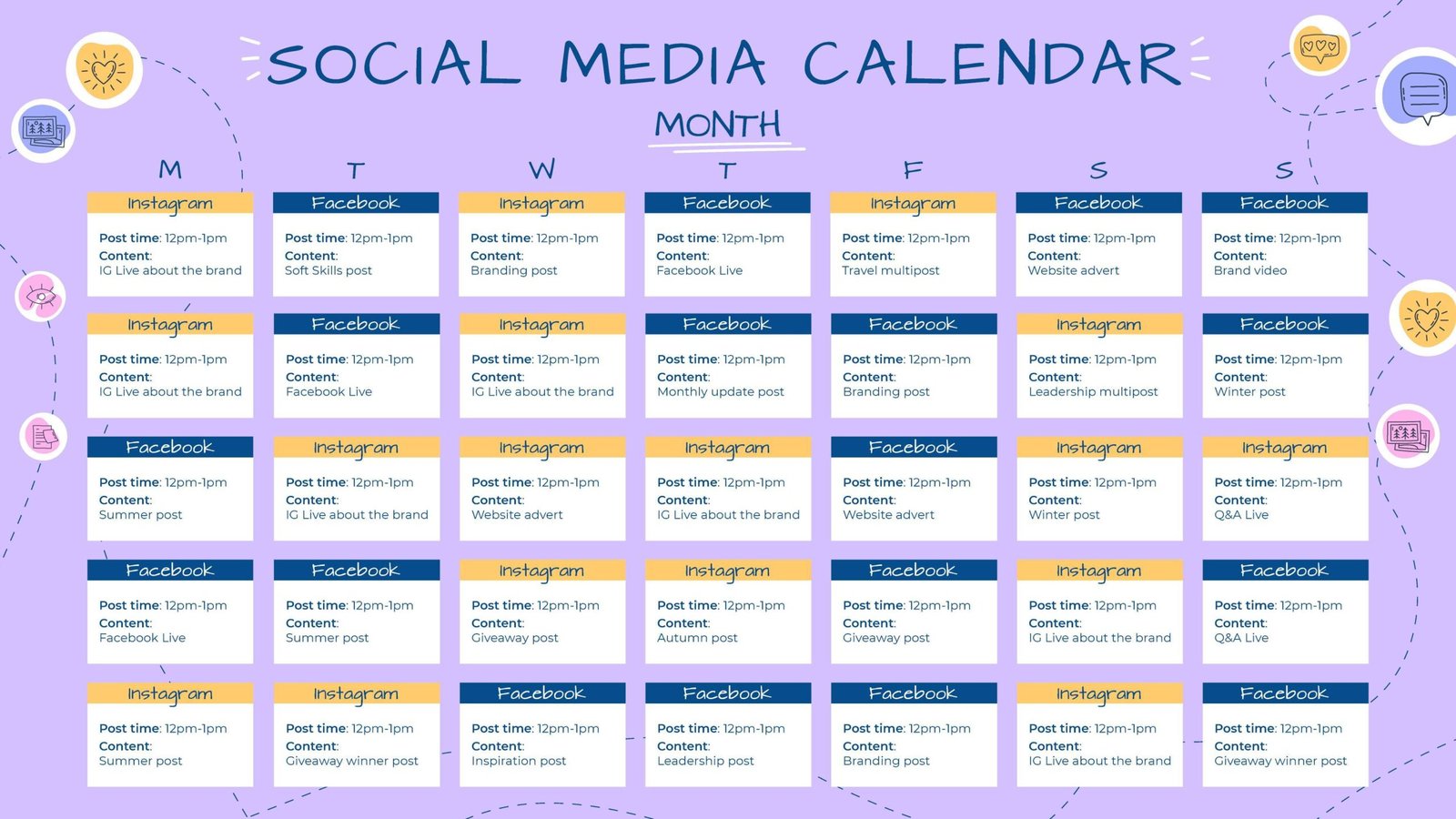
If you’re just starting out in digital marketing or want to grow your online business, you’ve probably realized that maintaining a consistent online presence requires planning and organization. A content calendar is a simple yet powerful tool that will help you clearly structure your posts, save time, and ensure that each message reaches your target audience at the right time.
In this article, you’ll learn, step by step, how to create your own content calendar in a practical and effective way, even if you have no prior experience. You’ll discover how to select the right topics, establish an optimal posting frequency, and keep your digital strategy well-organized and aligned with your business goals. 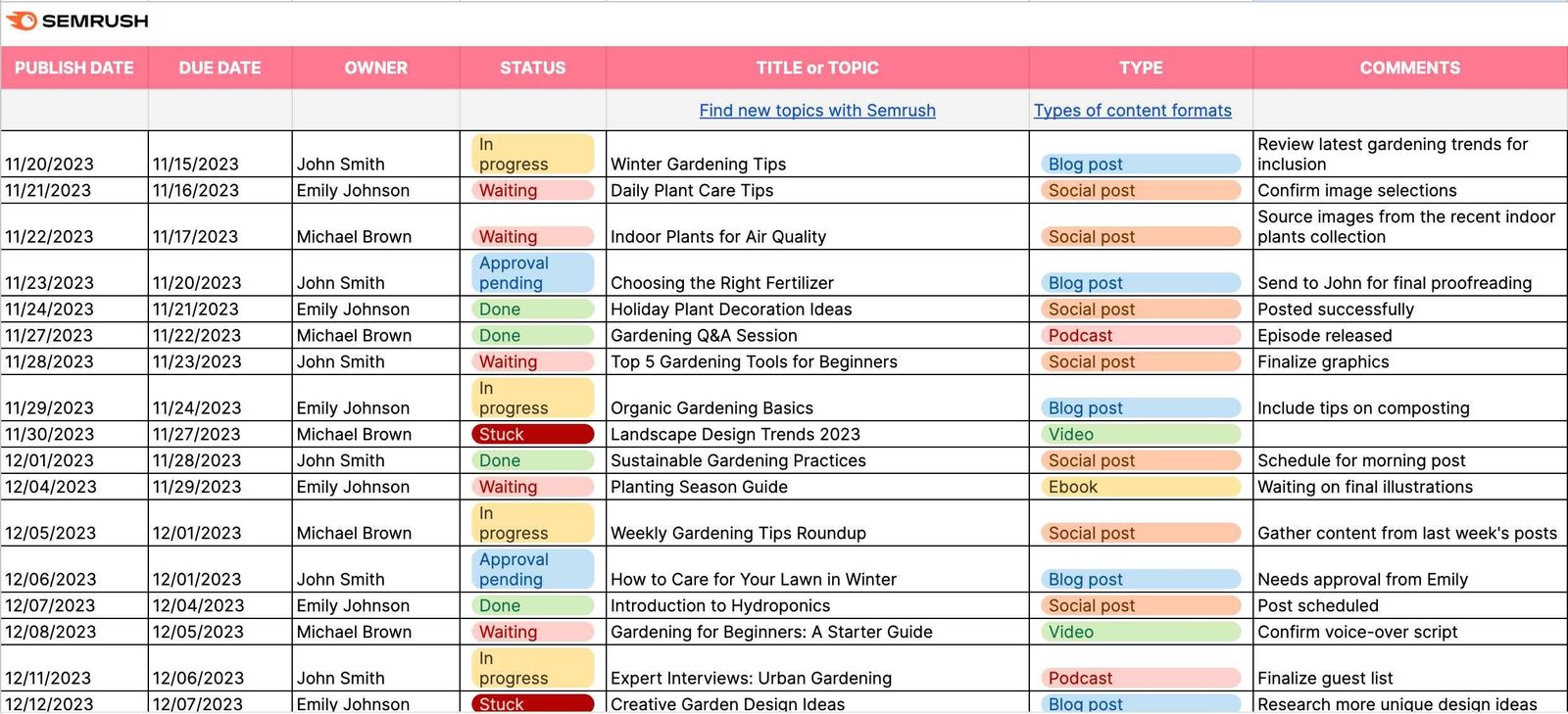
Index
- Clearly identify your goals and target audiences before planning
- Choose content formats that are appropriate for your platforms
- How to Set Effective Frequencies and Schedules for Publishing Content
- Practical Tools for Managing Your Content Calendar
- Regularly evaluate and adjust your schedule based on the results you’ve achieved
- Frequently Asked Questions
- To conclude
Clearly identify your goals and target audiences before planning
Before you start creating content at random, it’s essential that you clearly define what you want to achieve and who your target audience is. First, ask yourself what the main goal of your strategy is: Do you want to increase your visibility, generate new leads, boost your sales, or build loyalty among existing customers?
Once you’ve clarified your goal, identify exactly who your ideal readers are and what topics interest them most. To do this, create a simple profile of your audience by answering these basic questions:
- Who is your ideal customer? (age, gender, occupation)
- What problems or needs do you have?
- Which channels do you usually watch? (social media, email, search engines)
- What kind of content do you prefer? (videos, articles, podcasts)
The better you know your audience, the easier it will be for you to create relevant and effective content that truly connects with them and helps you achieve your goals.
Choose content formats that are appropriate for your platforms
Every digital platform has its own unique characteristics and specific audiences that determine what kind of content works best. That’s why it’s essential to tailor your content formats to the social media platform or channel you’re using. For example:
- Instagram: Prioritize images and short videos (Reels, Stories) with an eye-catching visual approach.
- LinkedIn: Focus on professional content such as articles, infographics, or short videos with practical tips for your audience.
- YouTube: Create tutorials, explanatory videos, or interviews that provide in-depth value.
- TikTok: Use short, dynamic, entertaining, or educational videos that generate quick engagement.
Remember that choosing the right format not only increases the visibility and reach of your content; it also significantly improves your connection with your audience, boosting trust and credibility in your personal brand or business.
How to Set Effective Frequencies and Schedules for Publishing Content
The key to determining effective posting frequencies and schedules lies in knowing your audience very well. First, analyze when your followers are most active by reviewing your social media statistics and Google Analytics. This will help you identify the days and times with the highest engagement and reach.
For example, if your audience consists of employees and freelancers, you may see better results by posting early in the morning, during lunch break, or at the end of the workday. To get started, you can follow these general guidelines:
- LinkedIn: Tuesdays and Thursdays from 8:00 to 10:00.
- Instagram and Facebook: Mondays, Wednesdays, and Fridays from 12:00 to 14:00.
- Twitter: Monday through Friday from 8:30 to 9:30 or from 5:00 to 6:00.
Conduct tests for at least one month and record the results in a simple table that you can easily refer to, for example:
| Social Media | Day and Time | Average Interactions |
|---|---|---|
| Tuesday 9:00 a.m. | 250 | |
| Wednesday, 1:00 p.m. | 320 | |
| Friday 5:30 p.m. | 180 |
This will allow you to adjust your strategy based on actual data and optimize the effectiveness of your content calendar.
Practical Tools for Managing Your Content Calendar
Using practical tools is key to managing your content calendar effectively and easily. There are various online options that allow you to easily plan, organize, and view your posts, simplifying day-to-day management and boosting your productivity. These platforms typically include features such as automatic scheduling, posting alerts, and team collaboration.
Some of the most useful tools include:
- Trello: Ideal if you’re looking for a simple, visual solution using customizable boards and cards.
- Asana: Perfect for managing team projects, assigning specific tasks, and tracking their progress.
- Google Calendar: Free and easy to use, it lets you schedule posts and receive notifications directly in your email.
- Notion: A flexible option for managing calendars, idea lists, and collaborative documents all in one place.
If you need to quickly decide which tool best suits your current situation, here’s a simple comparison chart:
| Tool | Ease of use | Teamwork | Free version |
|---|---|---|---|
| Trello | Sign Up | Medium | Yes |
| Asana | Medium | High | Yes |
| Google Calendar | Sign Up | Unsubscribe | Yes |
| Notion | Medium | High | Yes |
Regularly evaluate and adjust your schedule based on the results you’ve achieved
Regularly reviewing your content calendar is key to ensuring that it actually helps you move closer to your goals. Set aside time on a regular basis—for example, at the end of each month—to analyze the results of your posts. Look at metrics such as web traffic, social media interactions, and conversions to understand which content performs best.
Based on this analysis, make specific adjustments to your schedule. For example, if you notice that a certain type of content generates more interest on social media, increase the frequency of similar posts. Here’s a practical example of how to summarize your monthly analysis:
| Content Type | Traffic Generated | Social Interaction | Recommended Actions |
|---|---|---|---|
| Hands-On Tutorials | Top | High | Increase frequency |
| Interviews with Experts | Medium | High | Maintain frequency |
| Opinion Pieces | Low | Low | Reduce frequency |
The key is to be flexible and adapt your planning based on actual data, not just on your intuition or personal preferences. That way, you’ll be able to continuously optimize your strategy and increase the effectiveness of your online marketing efforts.
Frequently Asked Questions
What is a content calendar, and what is its main purpose?
A content calendar is a tool that allows you to plan, organize, and manage the content you’ll publish on various digital platforms. Its main purpose is to help you stay organized, set priorities, and ensure that you publish relevant content consistently and in an organized manner.
Why is it important to have a content calendar?
Having a content calendar helps you maintain consistency in your posts, save time on daily planning, avoid last-minute oversights or mistakes, and improve your digital strategy by giving you a clearer, more comprehensive view of the content you share.
How can I start creating my content calendar?
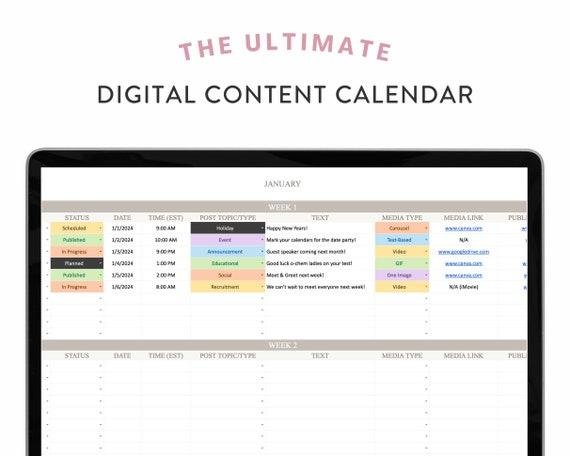
To get started, clearly define your goals, decide which platforms you’ll use, set your posting frequency, and determine the type of content you’ll share. Next, choose a tool you’re comfortable with (such as Excel, Google Sheets, or specialized apps) and start organizing your content by date and topic.
What elements should an effective content calendar include?
An effective calendar should include the date and time of publication, the topic or title of the content, the format (image, video, written post), the platform where you’ll publish it, relevant keywords or hashtags, and a space for additional notes or comments about the status of the content.
How often should I update and review the calendar?
The ideal frequency depends on your strategy and needs. However, we recommend reviewing and updating your calendar at least once a week to ensure that everything is up to date and to make adjustments based on the results of previous posts.
Are there any specialized tools for creating a content calendar?
Yes, there are tools like Trello, Asana, Hootsuite, and Buffer that make it easier to create and manage a content calendar. These tools allow for quick overviews, team collaboration, automated publishing, and tracking of results.
How can I tell if my content calendar is working?
You can measure the effectiveness of your content calendar by analyzing metrics such as reach, engagement, web traffic generated, follower growth, and conversions. Monitor these metrics regularly and adjust your content calendar based on the results.
What common mistakes should I avoid when creating a content calendar?
Some common mistakes include failing to set clear goals, planning content inconsistently, ignoring key dates or important events, failing to analyze the results, and failing to adapt your strategy based on the performance of your published content. Avoid these mistakes to ensure the success of your calendar.
To conclude
Now that you know how to create an effective content calendar, it’s time to put everything you’ve learned into practice. Remember that organization is key to maintaining consistency and quality in your digital strategy.
Start small, evaluate your results, and adjust your schedule based on what works best for you and your audience. Don’t forget that discipline and planning will help you build a solid, scalable, and profitable online presence.
Do you have any questions or need additional help? Feel free to leave me a comment or contact me directly; I’d be happy to help you on your path to digital success.
Good luck, and go for it!